This class is responsible for displaying new clipboards (the ones that use the Clipboard SORM class) in the sidebar.
- Author
- Moritz Strohm stroh.nosp@m.m@da.nosp@m.ta-qu.nosp@m.est..nosp@m.de @license GNU General Public License v2 or later.
- Since
- 4.5
◆ __construct()
| __construct |
( |
|
$allowed_item_classes = [] | ) |
|
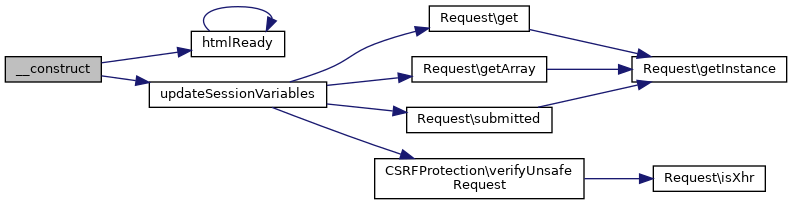
This widget can be initialised with the class names of allowed classes to limit the displayed items in a clipboard to items of specific classes.
◆ addLink()
| & addLink |
( |
|
$label, |
|
|
|
$url, |
|
|
|
$icon = null, |
|
|
|
$attributes = array(), |
|
|
|
$index = null |
|
) |
| |
Adds a link to the widget
- Parameters
-
| String | $label | Label/content of the link |
| String | $url | URL/Location of the link |
| Icon | $icon | instance of class Icon for the link |
| bool | $active | Pass true if the link is currently active, defaults to false |
◆ clearSessionVariables()
| clearSessionVariables |
( |
| ) |
|
◆ disableDraggableItems()
| disableDraggableItems |
( |
| ) |
|
Disables the dragging of clipboard items.
◆ enableDraggableItems()
Enables clipboard items to be dragged to the main area of the page.
◆ getApplyButtonTitle()
◆ getClipboardWidgetId()
◆ isReadonly()
◆ render()
| render |
( |
|
$variables = [] | ) |
|
Renders the widget. The widget will only be rendered if it contains at least one element.
- Returns
- String The THML code of the rendered sidebar widget
Reimplemented from SidebarWidget.
◆ setApplyButtonTitle()
| setApplyButtonTitle |
( |
|
$title = '' | ) |
|
◆ setReadonly()
| setReadonly |
( |
|
$readonly = false | ) |
|
◆ updateSessionVariables()
| updateSessionVariables |
( |
| ) |
|
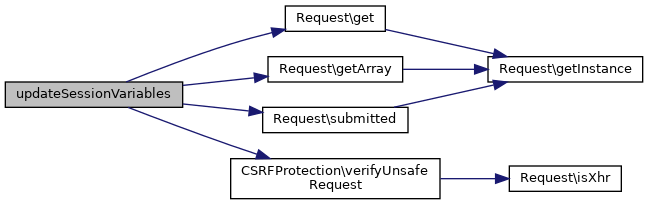
Updates session variables if a special POST request is made.
◆ $allowed_item_class
◆ $apply_button_title
This attribute contains a string that shall be the title of the button for applying the selected clipbard to the main area the widget is showing when in read only mode.
◆ $clipboard_widget_id
clipboard_widget_id is required in the case that multiple clipboard widgets exist on one page. The JavaScript code can then distinguish each clipboard widget by its unique ID.
◆ $current_clipboard_id
This attribute holds the ID of the clipboard which is stored in the session as currently selected clipboard.
◆ $draggable_items
The documentation for this class was generated from the following file:

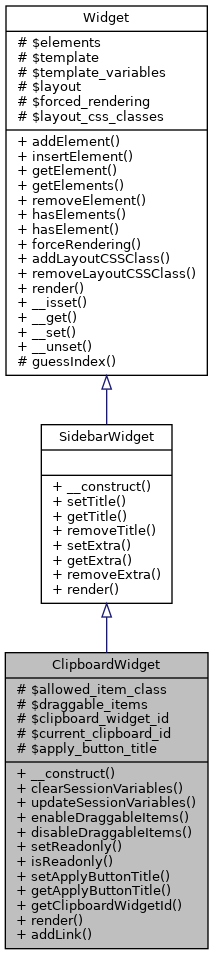
 Public Member Functions inherited from SidebarWidget